
Whisper · Docs
Console

Devices

Point a whole household or fleet of devices at encrypted DNS, each under its own address, and see privately where their lookups go.

i

The console shows only the names a device asks to reach, never what it does there. Screens here are a demo household with illustrative data and redacted tokens.

1 · Your devices

The Devices page lists each device with its own address and a protected badge, over a private map of which companies answer the household lookups.
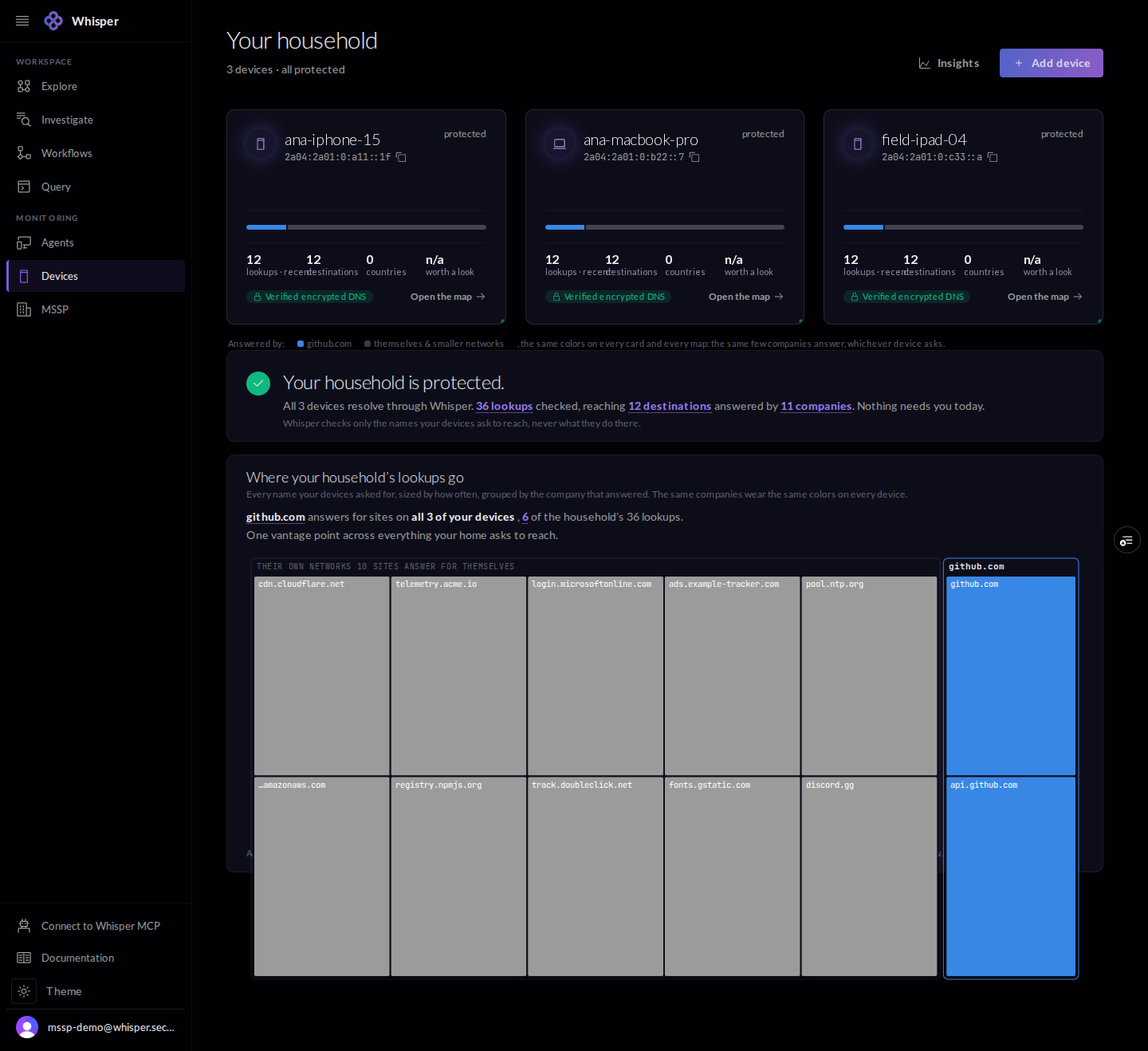
The Devices page, shown with demo data: three devices each with its own address and a protected badge, and a treemap of which companies answer the household's lookups.
Each device with its own address and a private map of which companies answer its lookups. Demo household.

2 · Add a device

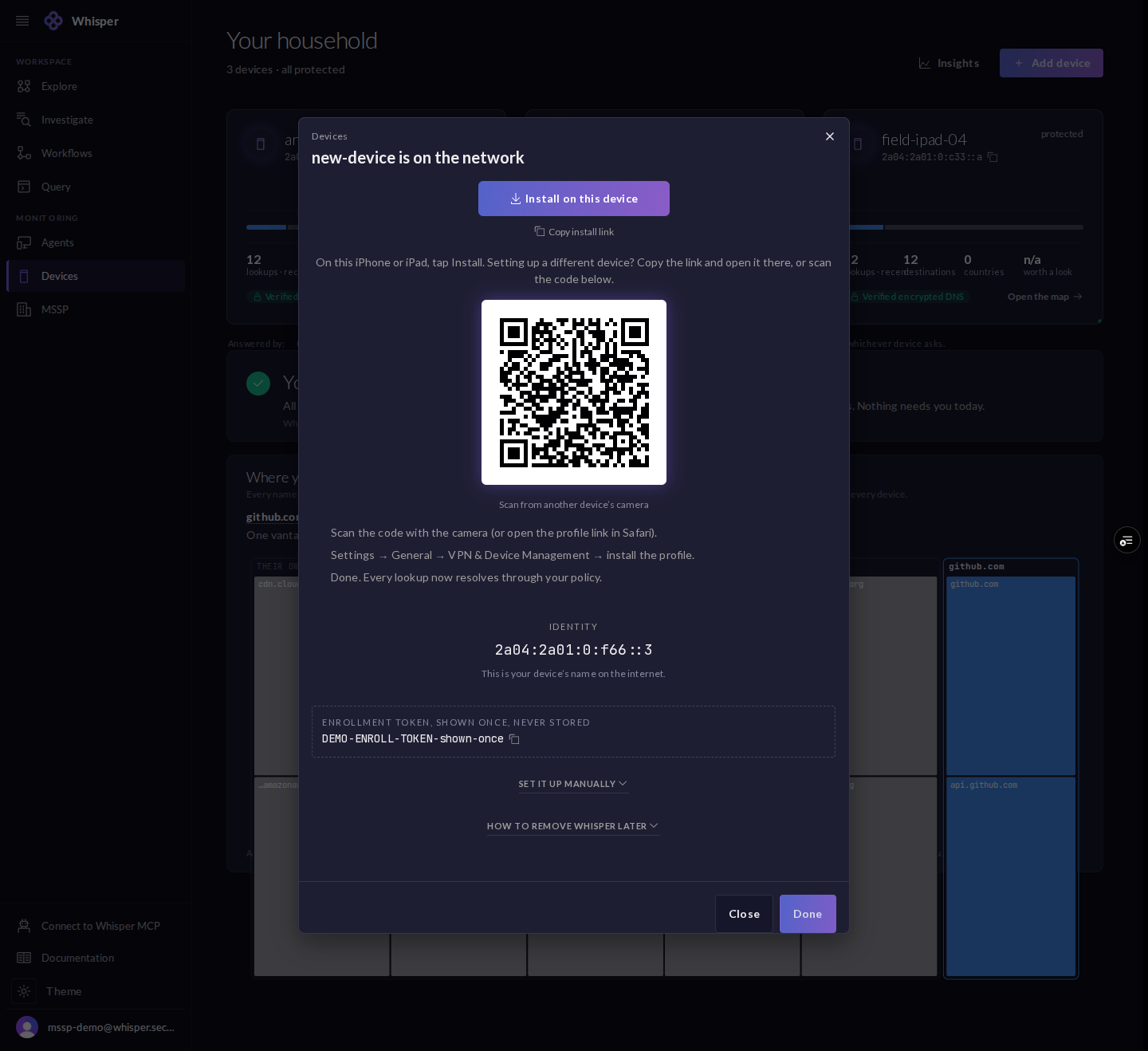
Adding a device is a two-step dialog: pick a platform and name it, then install by scanning a QR code or opening a profile link. The device comes up with its own identity address.
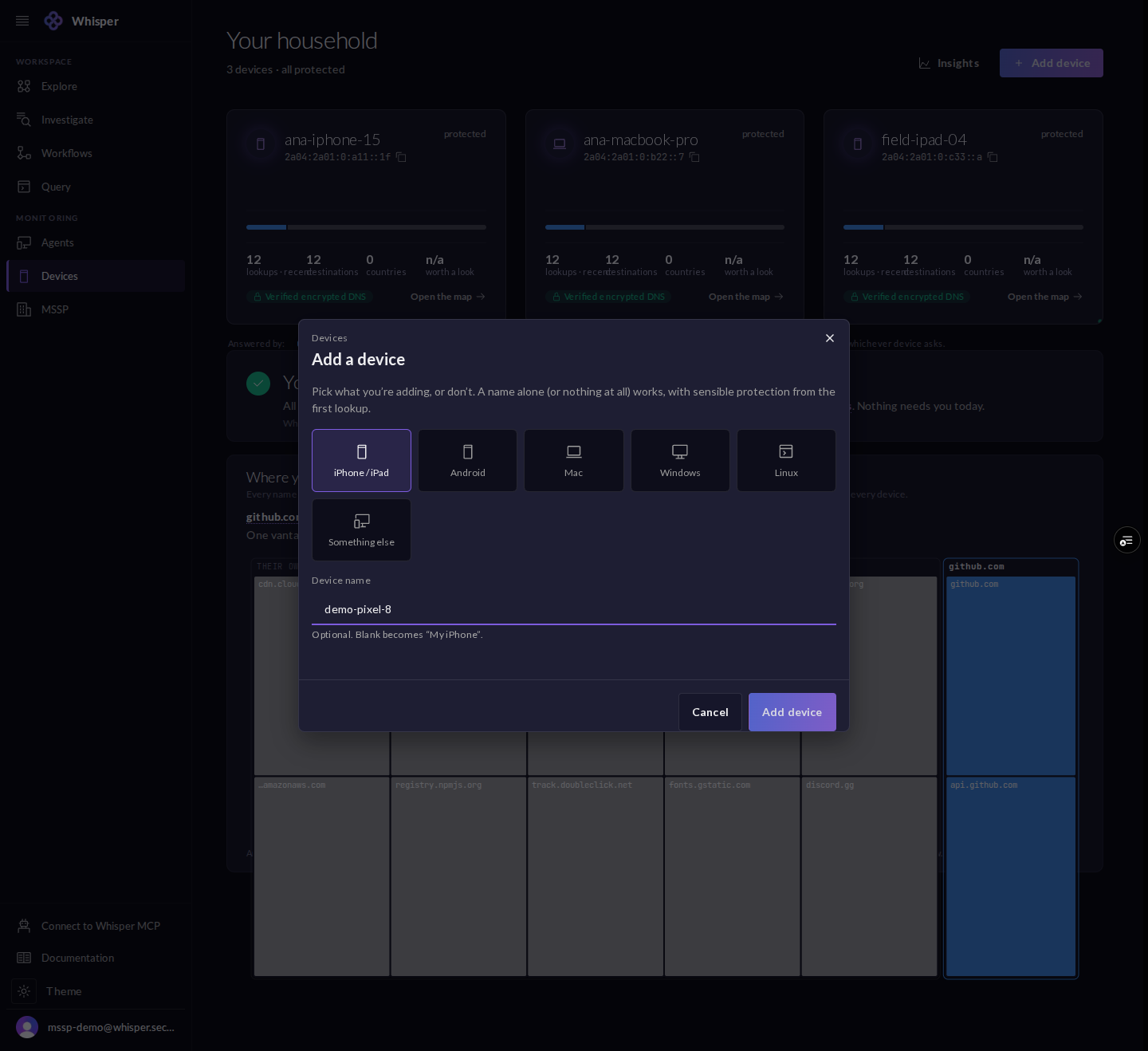
The Add a device dialog: a platform picker (iPhone or iPad, Android, Mac, Windows, Linux, or something else) and an optional device name.
Pick a platform and name it, or add nothing at all.
The device install dialog, shown with the enrollment token redacted: an install button, a QR code, setup steps, the device's identity address, and a shown-once enrollment token.
Install by QR or profile link. The device gets an identity; the enrollment token is shown once and is redacted here. Demo.

If you would rather set it up by hand, the manual panel lists every endpoint the profile configures for you: a Private DNS host, a DoH URL, a resolver address, and the profile link.
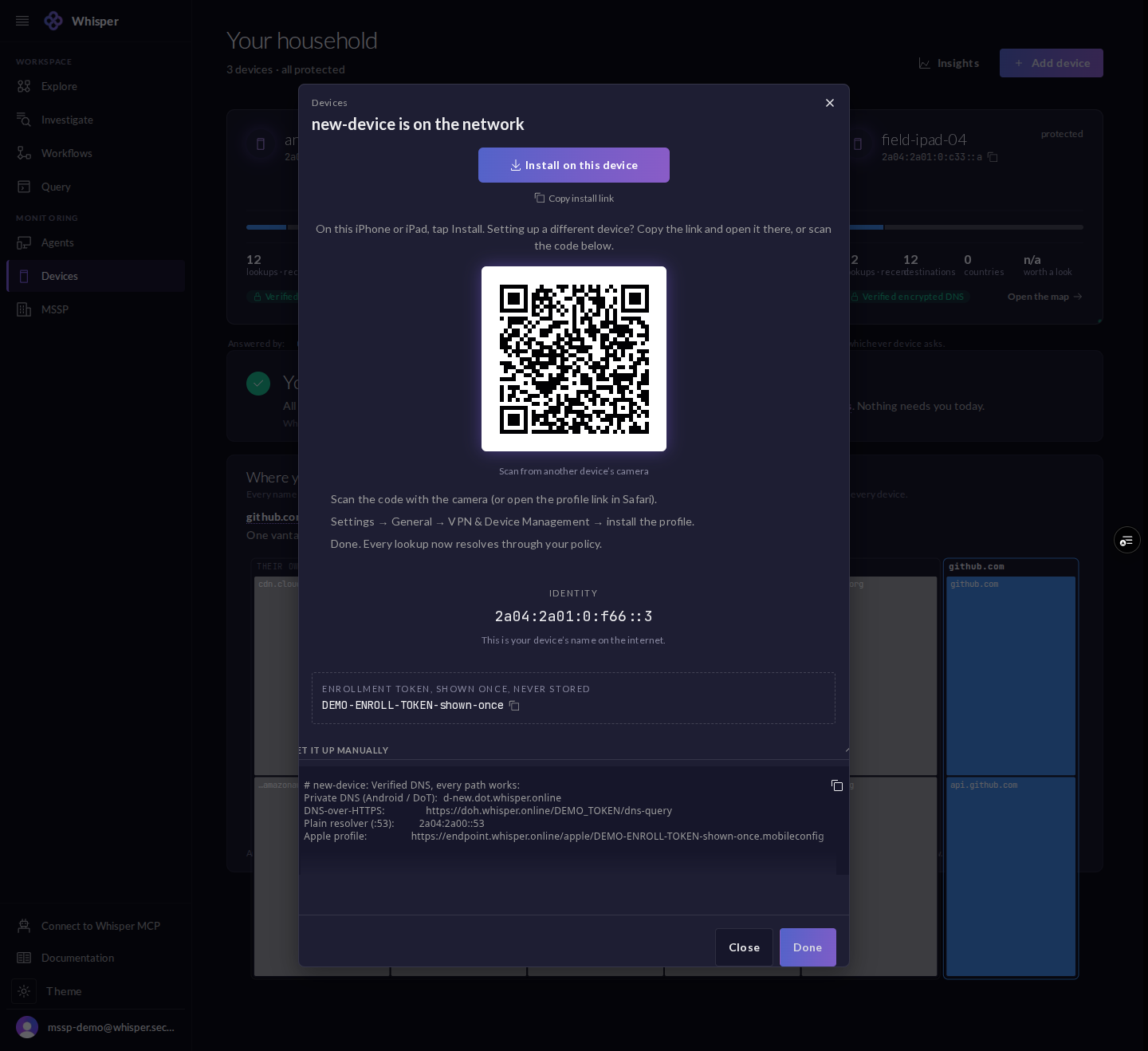
The manual setup panel, shown with demo tokens: the endpoints the profile automates, including a Private DNS host, a DoH URL, a resolver address, and the profile link.
The manual panel lists every endpoint the profile sets for you. Demo tokens.

3 · A device up close

A device page opens on its protected summary, a per-company view of who could see its day, and a live feed of the lookups it made, each marked allowed or blocked.
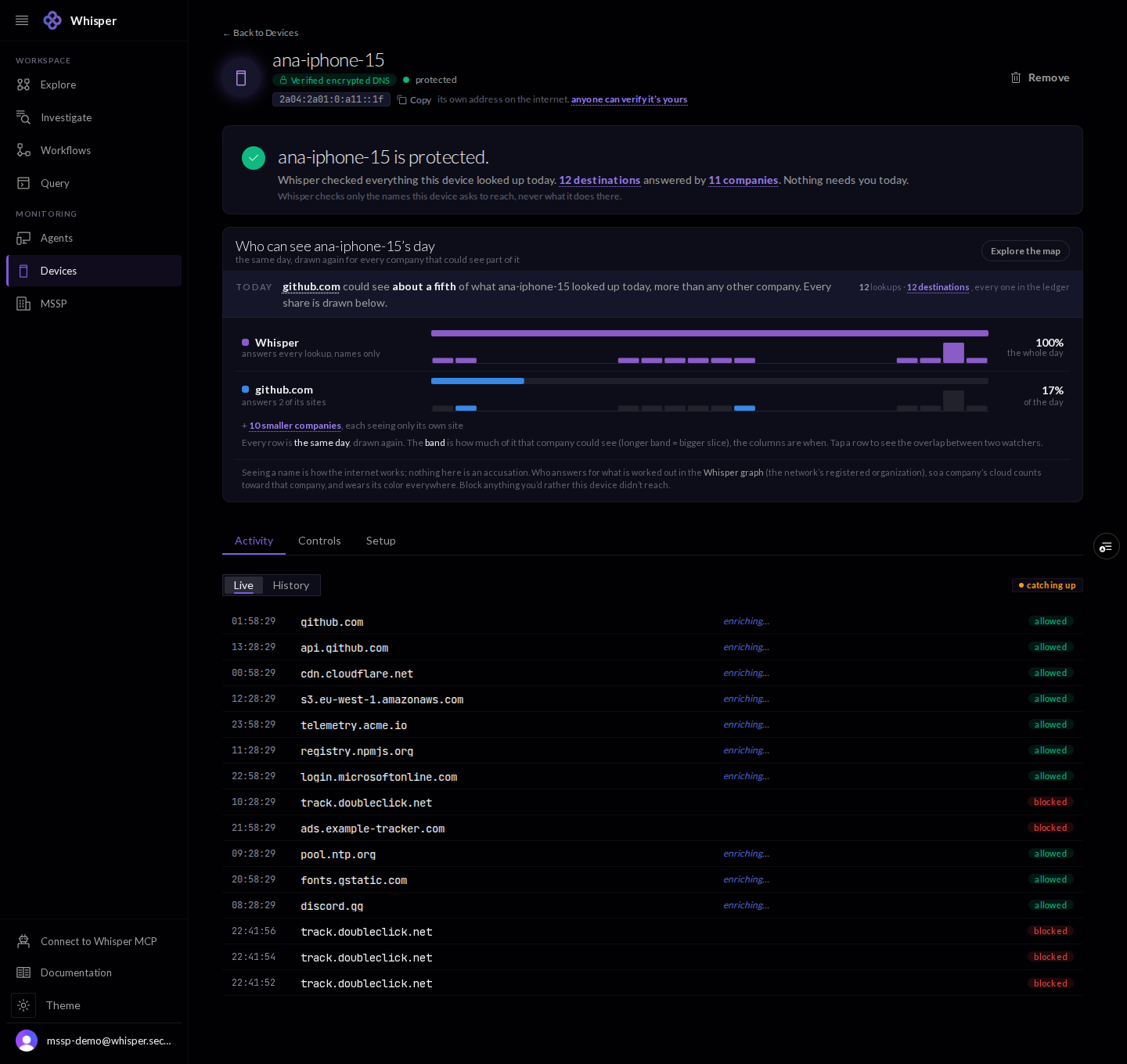
A device page, shown with demo data: a protected summary, a per-company view of who could see the device's day, and a live feed of allowed and blocked lookups.
A device up close: the protected summary, a who-can-see-its-day view, and a live activity feed. Demo data.

4 · Controls

Controls hold the account resolver policy (presets, toggles, and your own rules) and a per-device egress firewall keyed to the address. The console is candid about the boundary: resolver policy protects every device under your key today, not one device at a time.
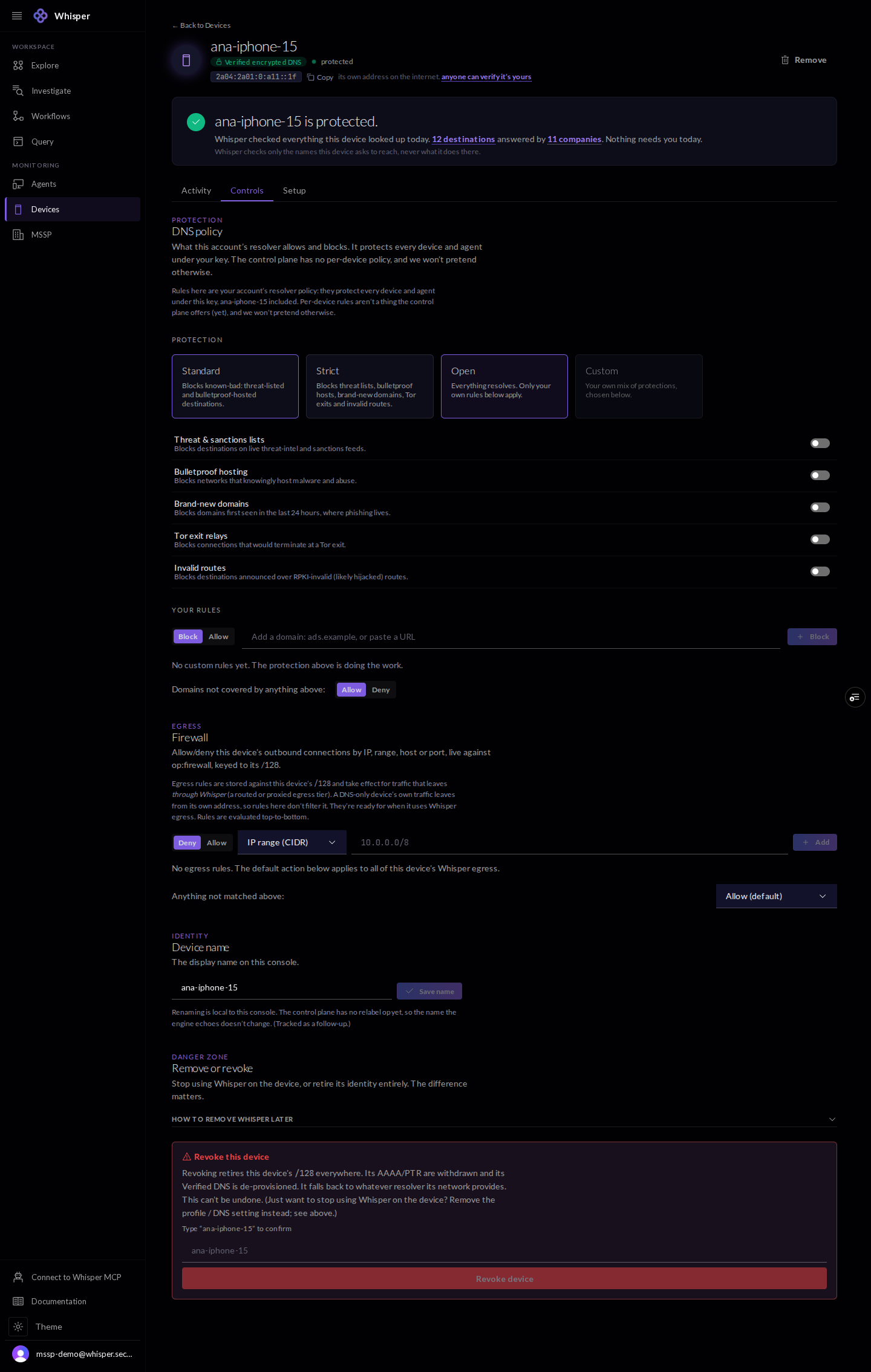
The Controls tab for a device: the account resolver policy (presets, toggles, and custom rules) and a per-device egress firewall, with a candid note that policy is account-wide today.
Controls: the account resolver policy and a per-device egress firewall keyed to the address. The console is candid that policy is account-wide today, not per-device.

5 · Setup and keyless proof

The Setup tab carries the device endpoints and, more usefully, the exact commands anyone can run to confirm the address is the device: a reverse-DNS lookup and the public RDAP record. No account is needed to check.
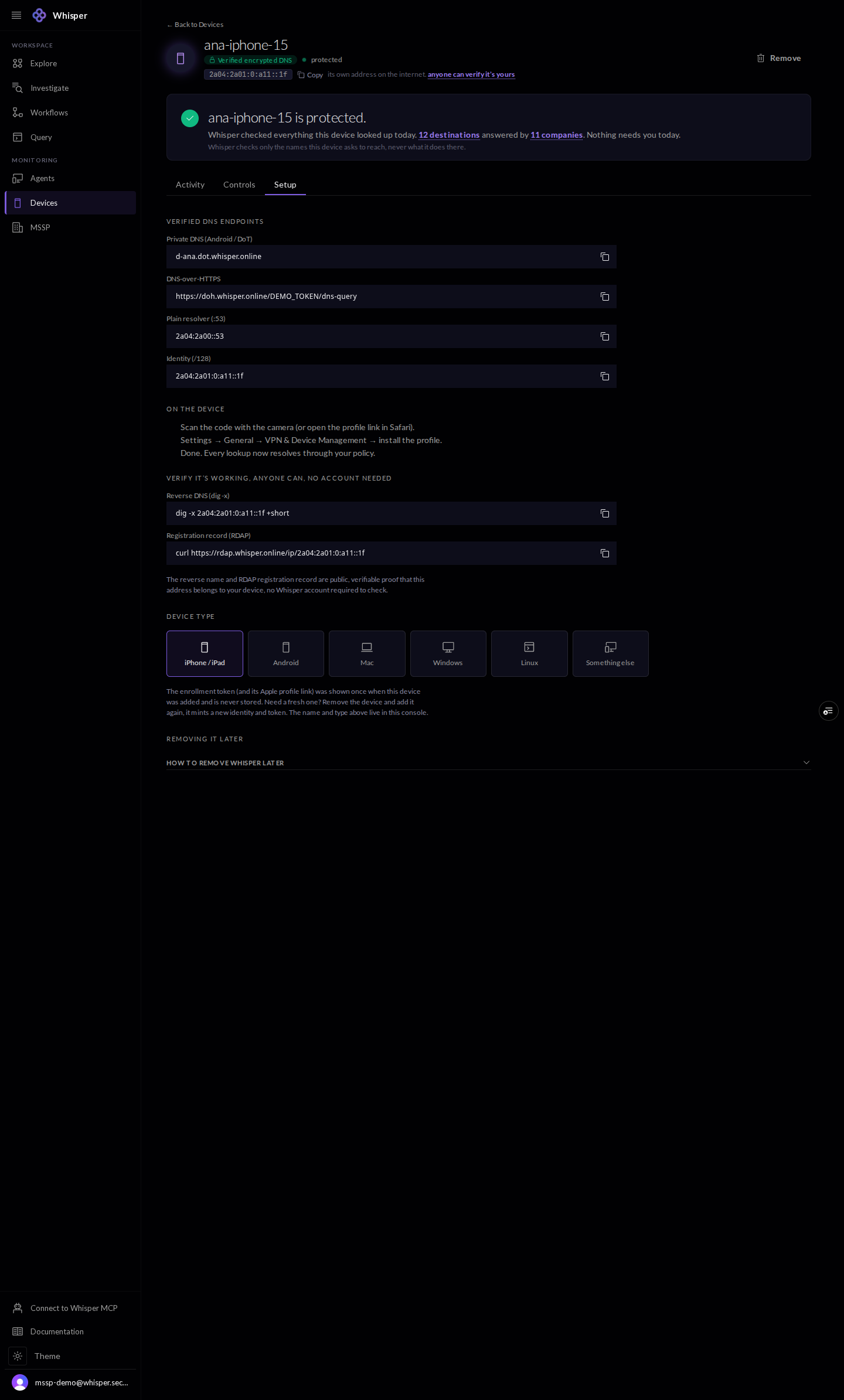
The Setup tab for a device, shown with demo data: the device's DNS endpoints, its identity address, and the reverse-DNS and RDAP commands anyone can run to confirm the address belongs to the device.
The device's endpoints, plus the dig -x and RDAP commands anyone can run to confirm the address is the device, no account needed. Demo address.

6 · Insights

Insights maps where the devices resolve, by jurisdiction, operator, and provider, across the fleet.
The Fleet insights view, empty: a note that no destinations have been mapped yet in the selected time window.
Insights maps where devices resolve, by jurisdiction, operator, and provider. Empty in this demo window.

7 · Remove a device

Removing a device withdraws its address, both the AAAA and the PTR, and de-provisions its encrypted DNS. The device falls back to whatever resolver its network provides.
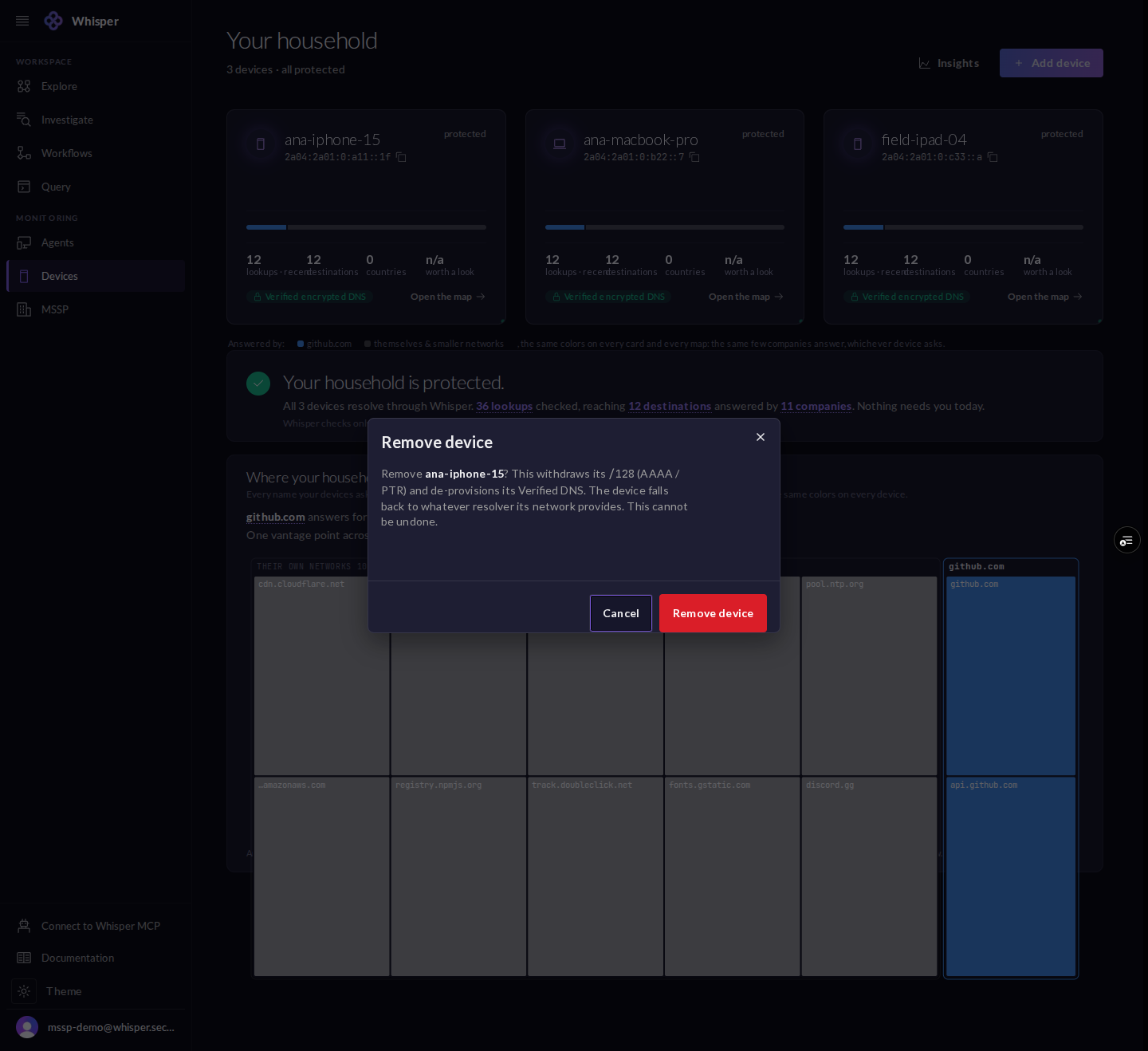
A Remove device confirmation dialog explaining that removing withdraws the device's address and de-provisions its encrypted DNS.
Removing a device withdraws its address (AAAA and PTR) and de-provisions its encrypted DNS.