
Whisper · Docs
Console

Agents

Register, connect, and observe your Whisper agents. Each agent is a routable IPv6 /128 that is at once its name, its credential, and its audit trail.

1 · The agent list

The Agents page lists everything you run: each agent with its /128 address, its status, and its recent egress, plus a summary across the account.
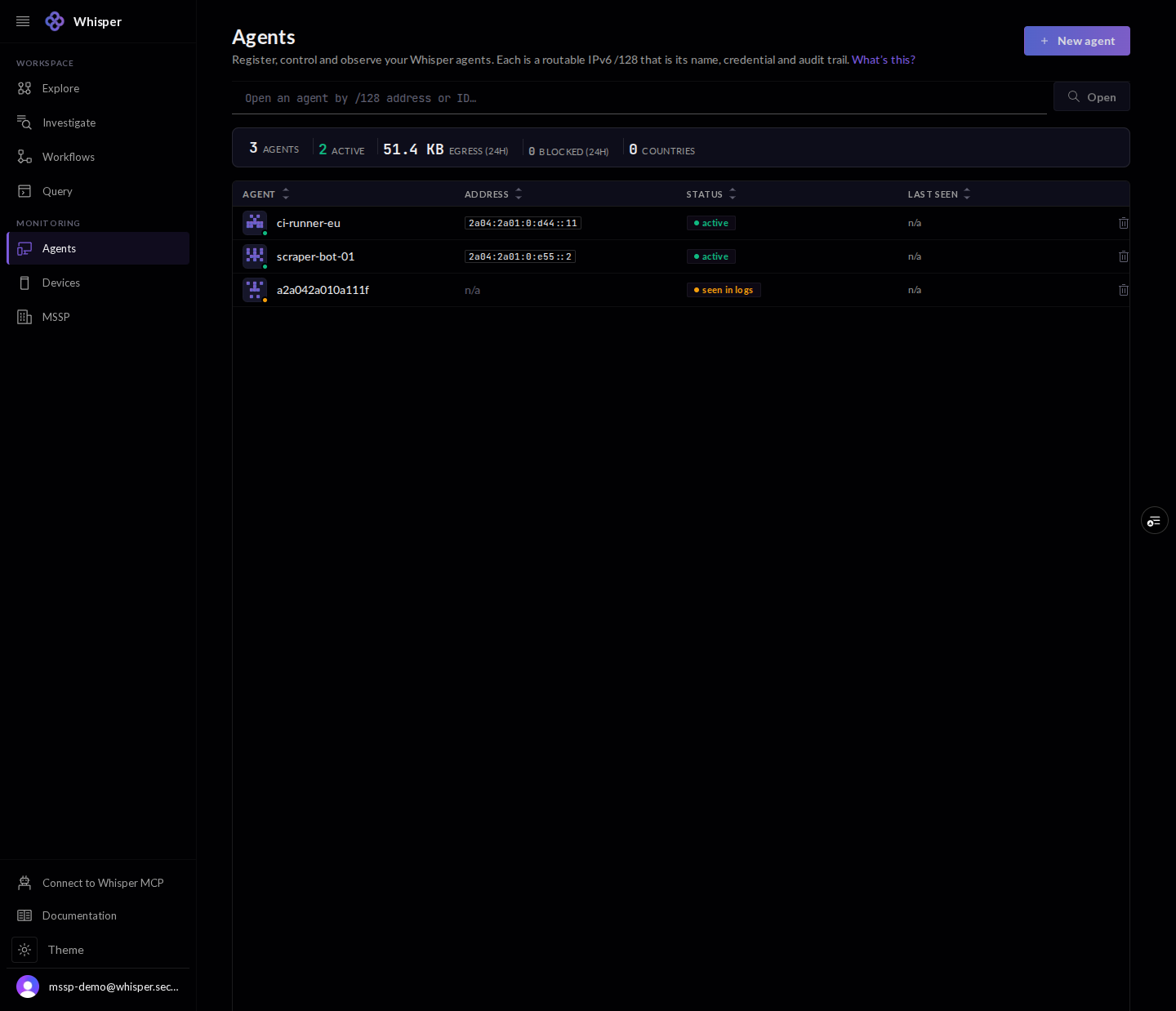
The Agents list, shown with demo data: a table of agents, each with a /128 address, a status, and a 24-hour egress figure, plus a summary bar.
Every agent, its /128 address, status, and recent egress. Demo data, illustrative figures.

2 · Register an agent

Registering takes a label and, optionally, a contact address that is published in the public RDAP or WHOIS record. It mints a fresh API key and allocates the agent its own /128.
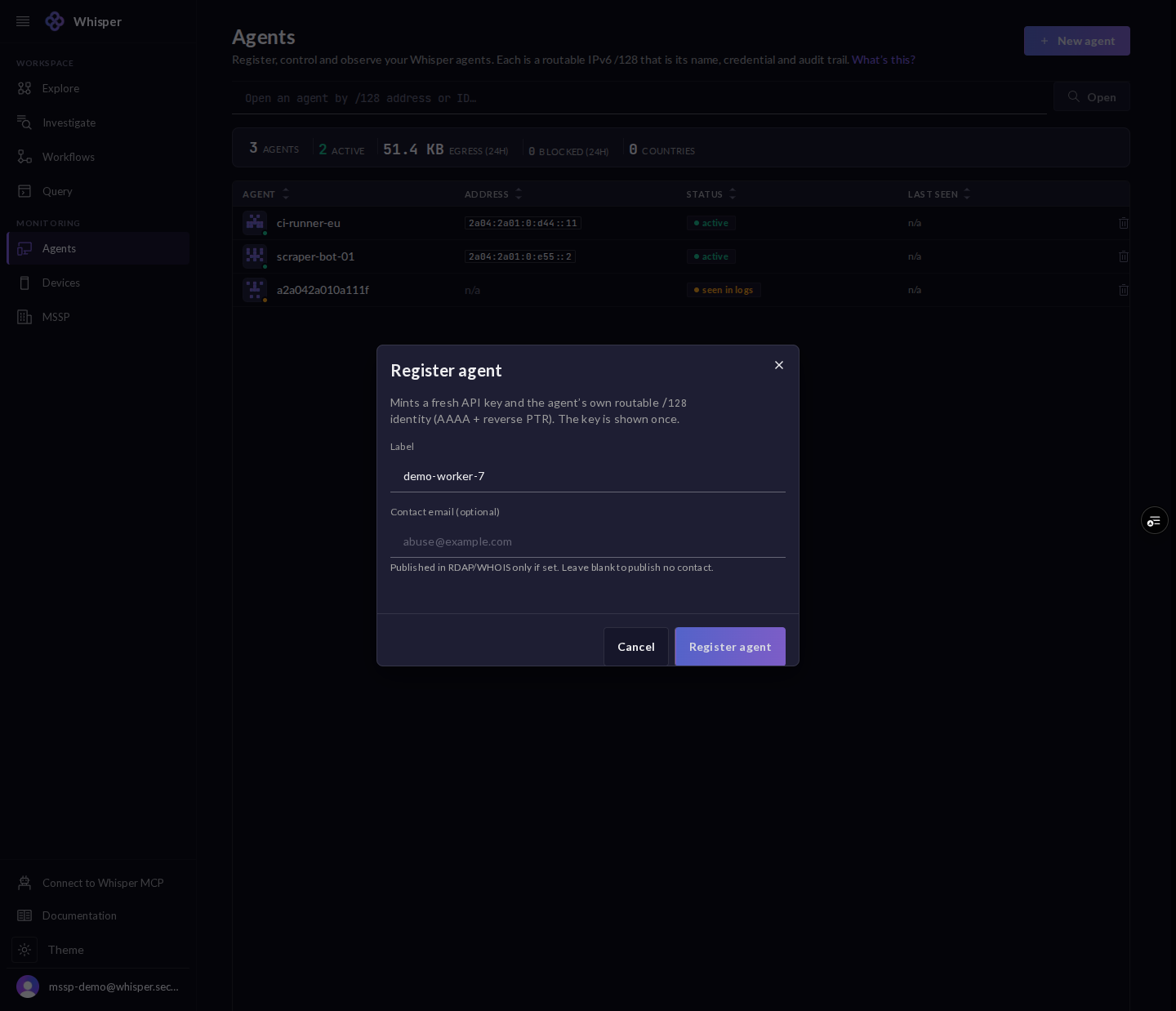
The Register agent dialog: a label field and an optional contact email, with a note that it mints a fresh API key and the agent's own /128 identity, shown once.
A label (and an optional contact for the public RDAP or WHOIS record) mints a fresh key and the agent's own /128.
!

The API key is shown once. Copy it then; it is never displayed again. Keys are redacted in every screenshot here.
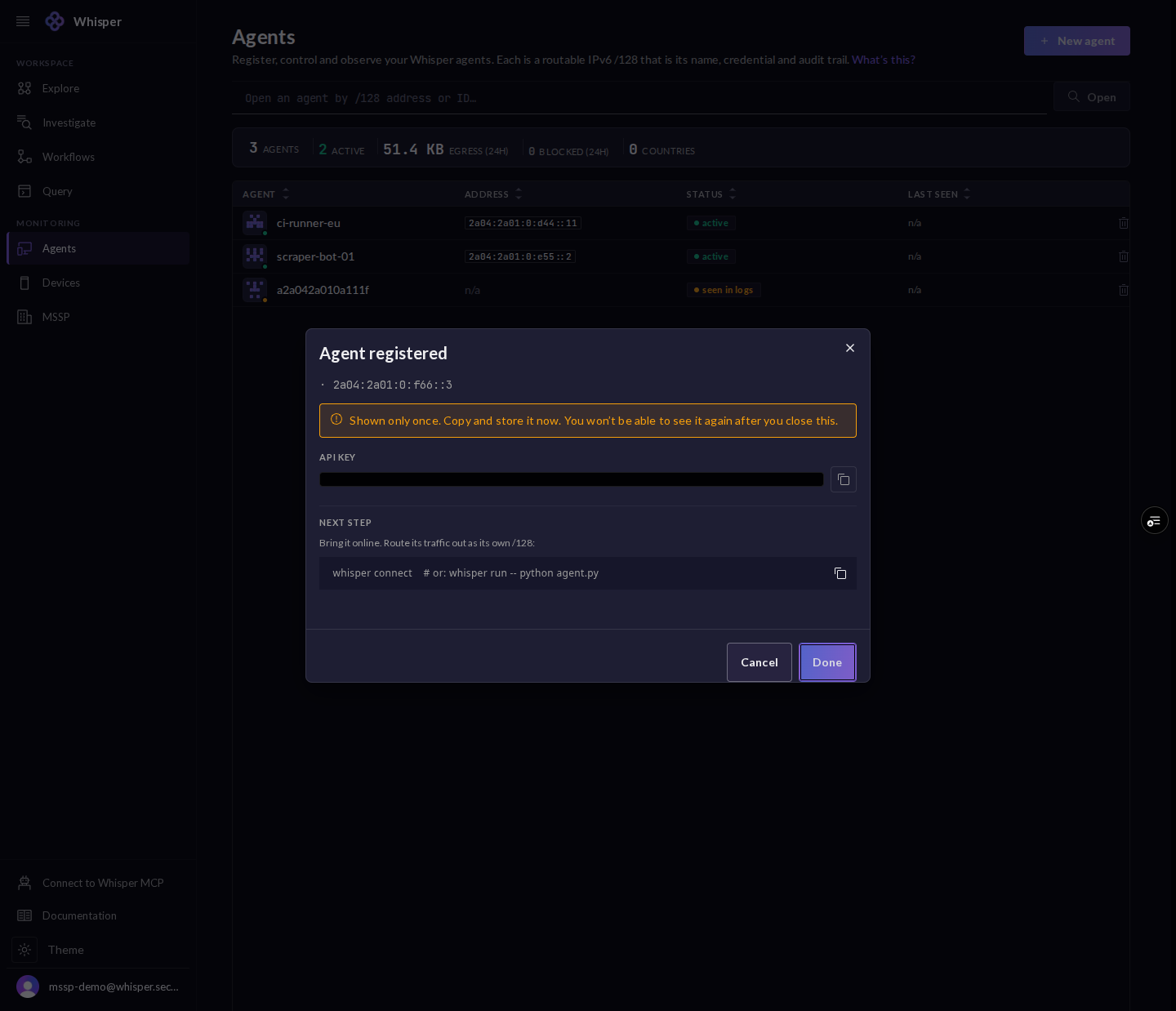
The Agent registered dialog, shown with the API key redacted: the new /128 address, a shown-once notice, an API key field, and a next-step command to connect the agent.
The key is shown once, so copy it then. The API key is redacted here. Next: connect the agent.

3 · Overview and trust posture

An agent opens on its health score and the checks that build it: verified identity, signed identity, DANE-TLSA, RPKI routing, and a threat-clean window. Below sit its 24-hour traffic and its public registration details.
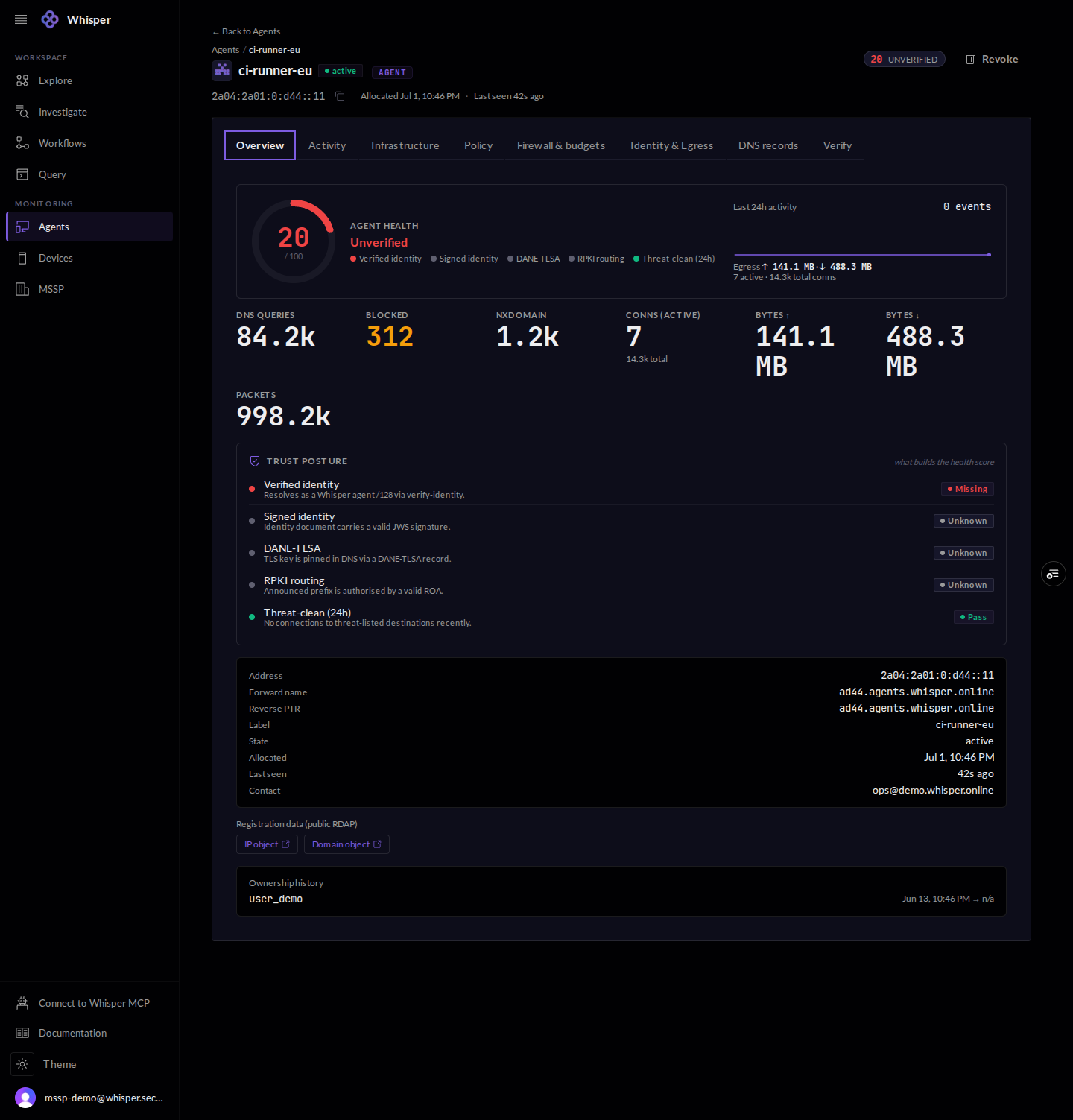
An agent overview, shown with demo data: a health score and the checks that build it (verified identity, signed identity, DANE-TLSA, RPKI routing, threat-clean), 24-hour traffic totals, and a registration detail table.
Overview: a health score, the checks behind it, and 24-hour traffic. Demo figures are illustrative.

4 · Identity and egress

One tab sets up the agent network. Allocate the /128, provision an outbound egress proxy bound to it so every connection leaves as the agent, bring up a dedicated resolver for plain-DNS clients, or mint a read-only monitor token to watch it without opening egress.
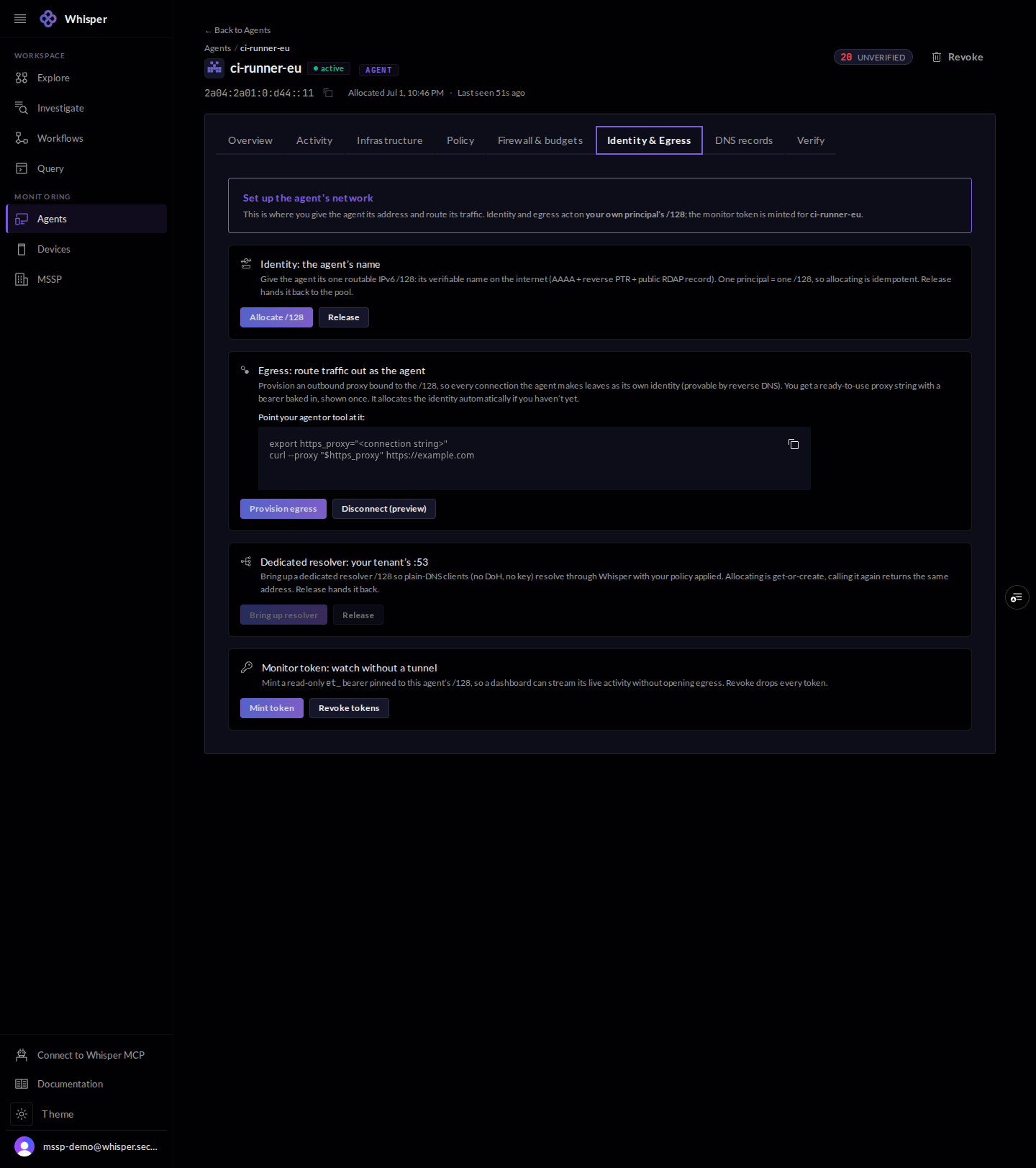
The Identity and Egress tab for an agent, shown with connection strings redacted: cards to allocate a /128, provision an egress proxy bound to it, bring up a dedicated resolver, and mint a read-only monitor token.
Allocate the /128, provision an egress proxy bound to it, bring up a dedicated resolver, or mint a read-only monitor token. Strings and tokens are redacted.

5 · Resolver policy

Policy is a simple block and allow list plus named escalation postures that are evaluated against the graph: Tor exits, bulletproof hosting, RPKI-invalid routes, sanctions and threat lists, newly-registered domains, and geo-deny. Postures can only tighten the policy, and they fail open when the graph has no opinion.
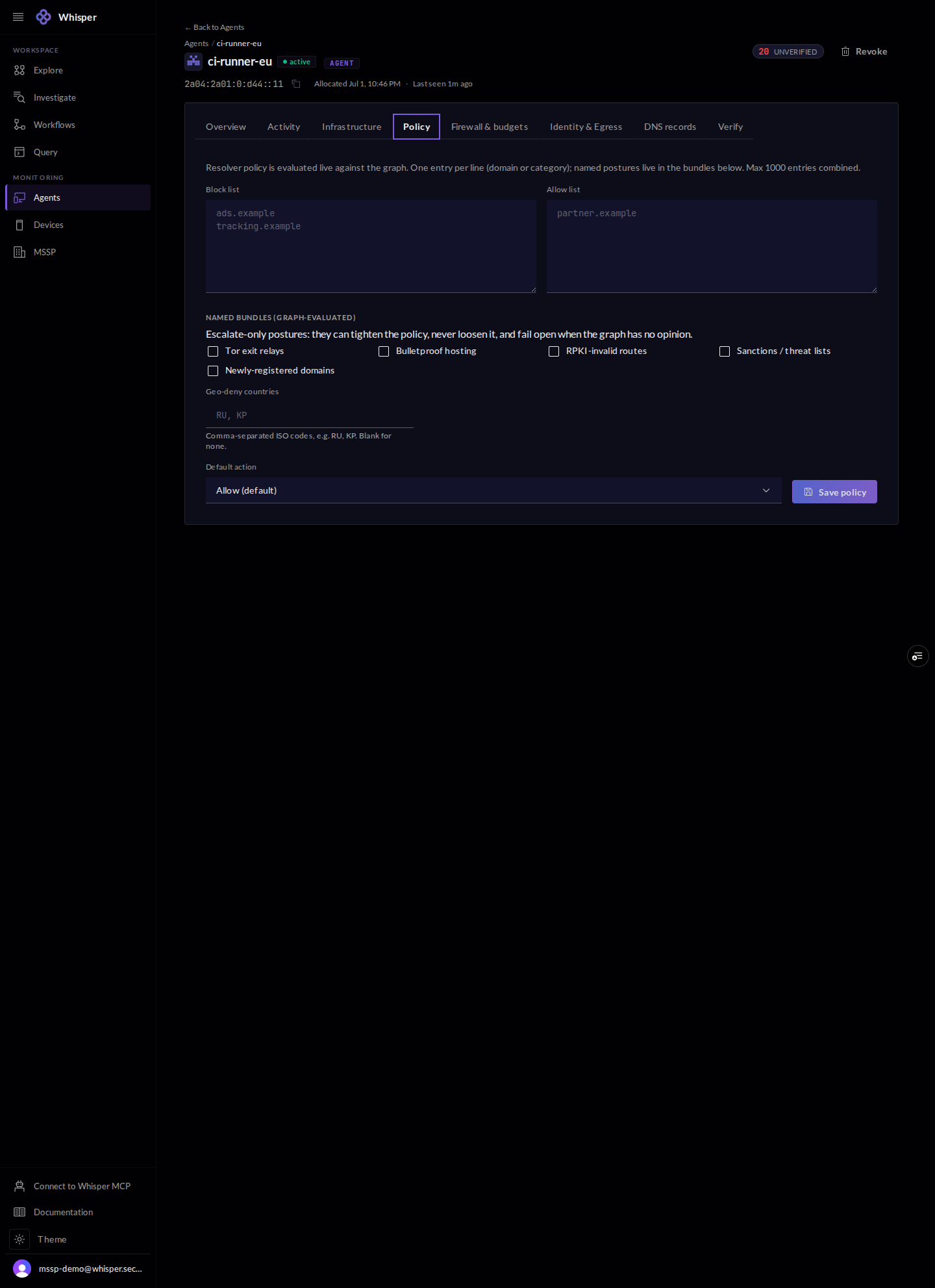
The Policy tab for an agent: a block list and an allow list, graph-evaluated escalation postures (Tor exits, bulletproof hosting, RPKI-invalid routes, sanctions and threat lists, newly-registered domains), a geo-deny field, and a default action.
Resolver policy: a block/allow list plus graph-evaluated postures. Postures can only tighten policy, and fail open when the graph has no opinion.

6 · Firewall and budgets

Per-agent egress rules are keyed to the /128 and evaluated top to bottom. Hard caps on bytes, connections, requests, and cost refuse over-cap traffic with a 429 (rate-limited, not unauthorized), and a kill switch stops the agent at once.
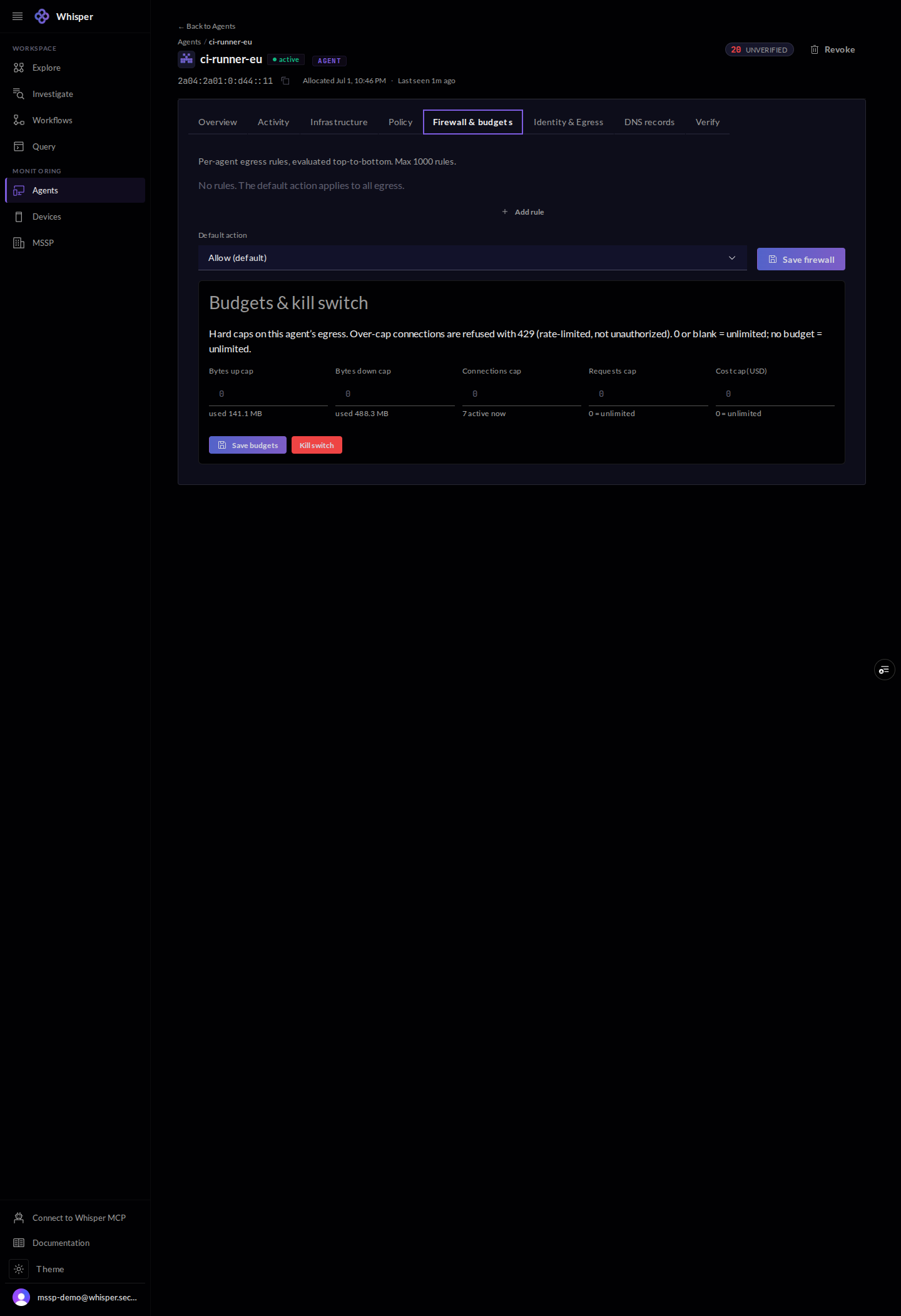
The Firewall and budgets tab for an agent, shown with demo data: per-agent egress rules, hard caps on bytes, connections, requests, and cost, and a kill switch.
Per-agent egress rules keyed to the /128, hard caps that refuse over-cap traffic with 429, and a kill switch.

7 · Activity

The activity tab is the agent audit trail: its DNS and connection history with allow and block verdicts, live or by history.
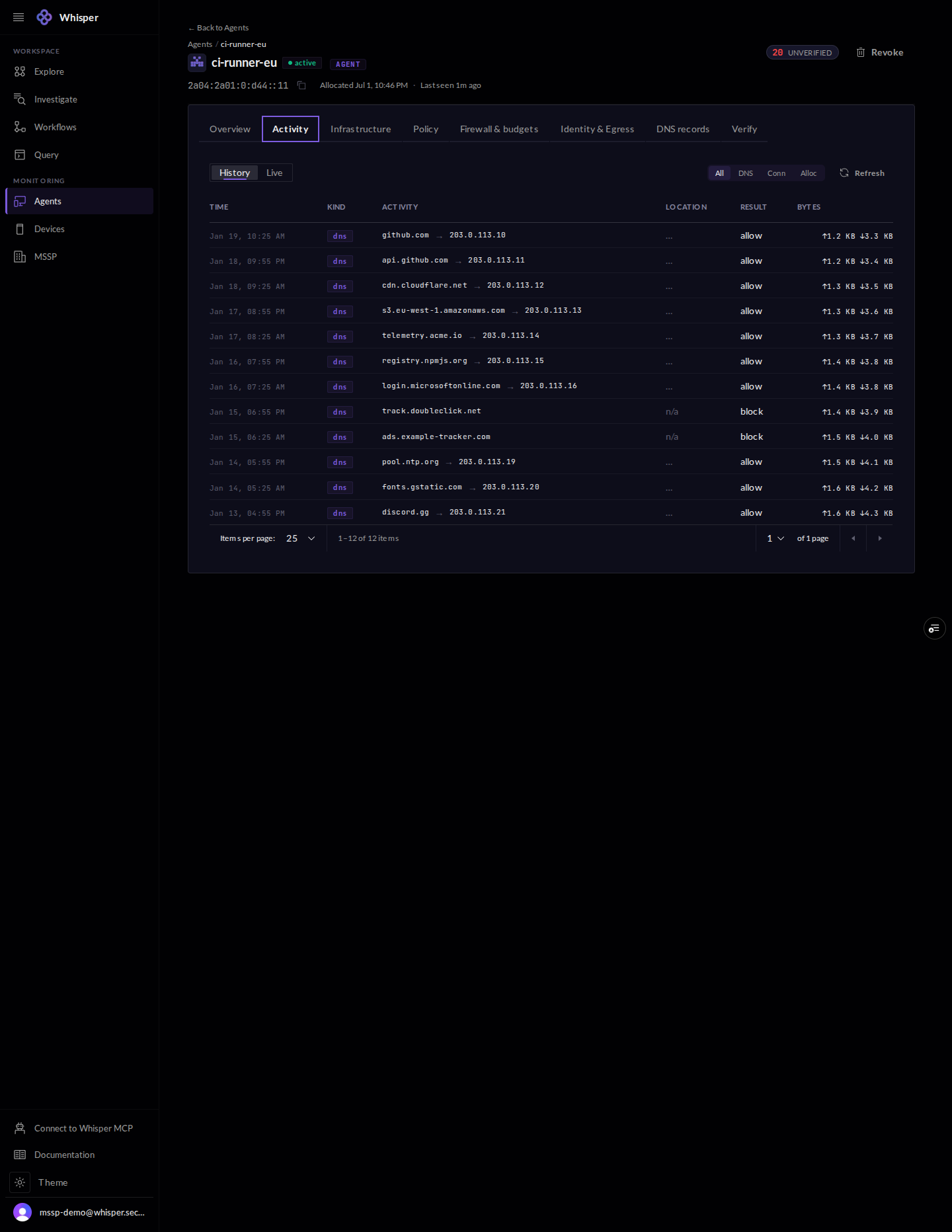
The Activity tab for an agent, shown with demo data: a history of DNS and connection events with timestamps, destinations, allow or block verdicts, and byte counts.
Per-agent DNS and connection history with allow and block verdicts. Demo addresses are documentation-range.

8 · Verify it, keyless

Because the address is the identity, anyone can check it with no key and no Whisper code. The Verify tab lists the proofs to run yourself: reverse DNS, the RDAP record, a WHOIS lookup, and a one-call verdict.
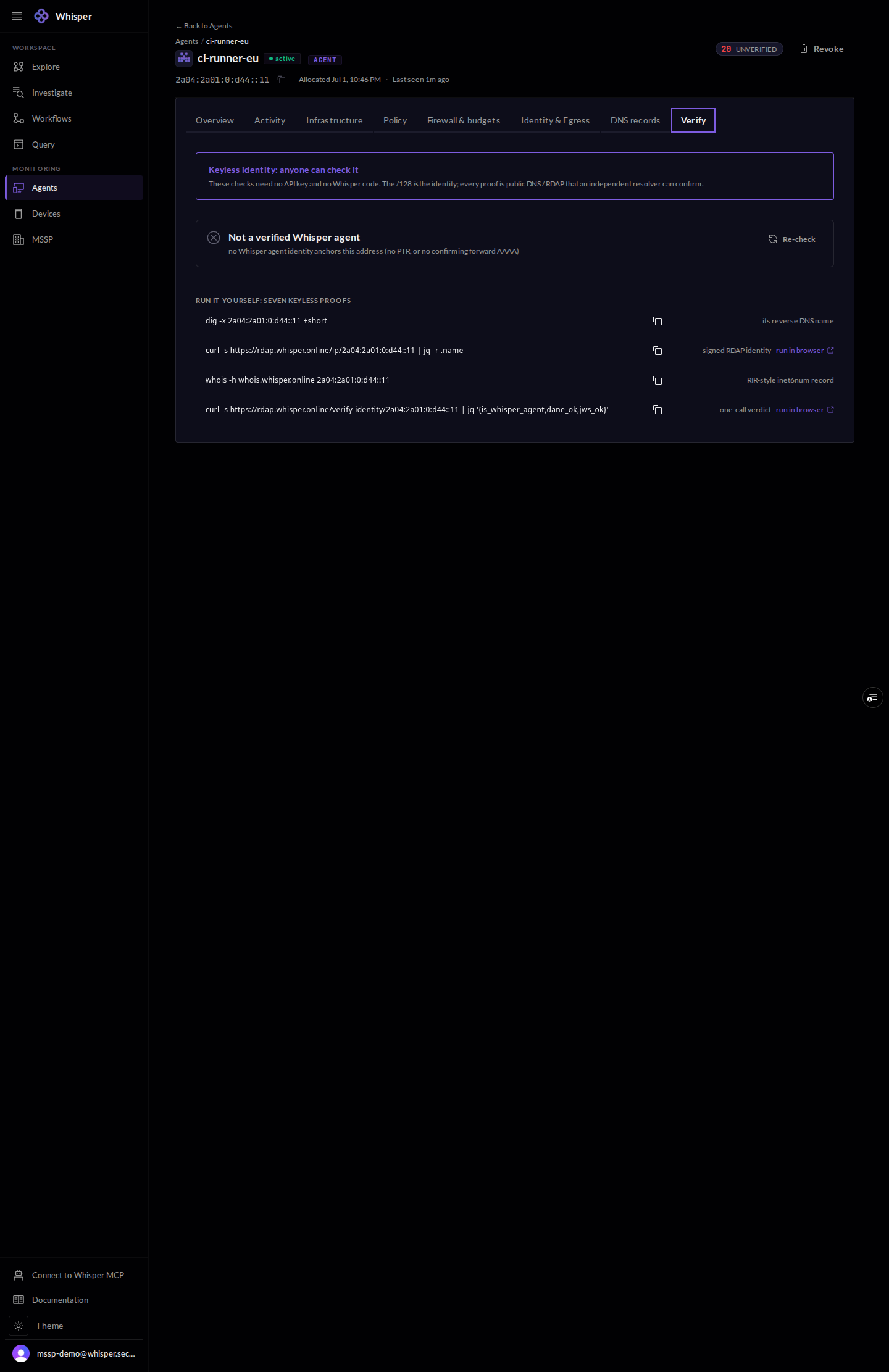
The Verify tab for an agent: a keyless-identity note and a set of copy-paste proofs anyone can run (reverse DNS, RDAP, WHOIS, and a one-call verdict), with the demo record reading as not yet verified.
The keyless proofs anyone can run: dig -x, RDAP, WHOIS, and the one-call verdict. The demo record has no live /128, so it reads unverified; it turns verified once an identity is anchored.